Best AI Meeting Note Takers Without a Bot: 11 Bot-Free Options for 2026
•
11
MIN READ
AI Summary by Fellow
The best AI meeting note taker without a bot isn't just one that records invisibly. It's one that does so with organizational governance, consistent disclosure, and the same security standards you'd apply to any other business communication.
Most botless tools fail that test. They work beautifully for one person on one device, and they create a compliance gap the moment a second person needs access or an admin needs to set a policy. If you're evaluating options for a team, not just yourself, the distinction matters.
This guide walks you through the types of AI notetakers and the top 10 bot-free options for 2026.
What is an AI meeting note taker without a bot?
An AI meeting note taker without a bot (also called a botless or bot-free AI note taker) captures meeting audio directly from your device rather than joining the call as a visible participant. There's no "Notetaker has joined the meeting" notification, no extra name in the participant list, and no bot to admit from the waiting room.
The capture happens at the device audio layer, so it works across virtually any platform: Zoom, Google Meet, Microsoft Teams, Slack huddles, phone calls, and in-person conversations.
Where botless tools diverge is in everything that happens after the audio is captured: how it's transcribed, who can access it, what policies govern retention, and whether admins have any oversight at all.
The two types of AI meeting note takers: bot-based vs. bot-free (or botless)
Bot-based tools show up as a visible participant and capture audio directly from the meeting. This helps with speaker identification and compliance prompts.
Bot-free tools, on the other hand, capture audio locally from your device, which works well for quick syncs, in-person conversations, Slack huddles, and external calls where a bot would feel out of place.
If you are evaluating tools, focus on disclosure, policy enforcement, platform coverage, and data handling. Summary quality is not enough anymore.
Dimension | Bot-based note takers | Bot‑free (or "botless") note takers |
|---|---|---|
Visibility | Appears as a meeting participant | No visible participant joins |
Use-case | Strong for scheduled videocalls | Ad hoc calls, in-person, Slack huddles, external meetings requiring discretion |
Disclosure | Usually explicit in call | Requires internal transparency features |
Governance | Often supports admin settings / recording policies | Many are user‑only apps |
Privacy | Cloud capture common | Often on‑device or local‑first |
Integrations | Frequent CRM and Project Management sync | Ranges from minimal to broad |
Top AI meeting note takers without a bot for 2026
1. Fellow
Best bot-free AI note taker for teams of any size that need notes from Zoom, Teams, Google Meet, phone calls, and in-person meetings with no bot joining, recorded from the desktop app under the same retention, access, and sharing rules as bot recordings.
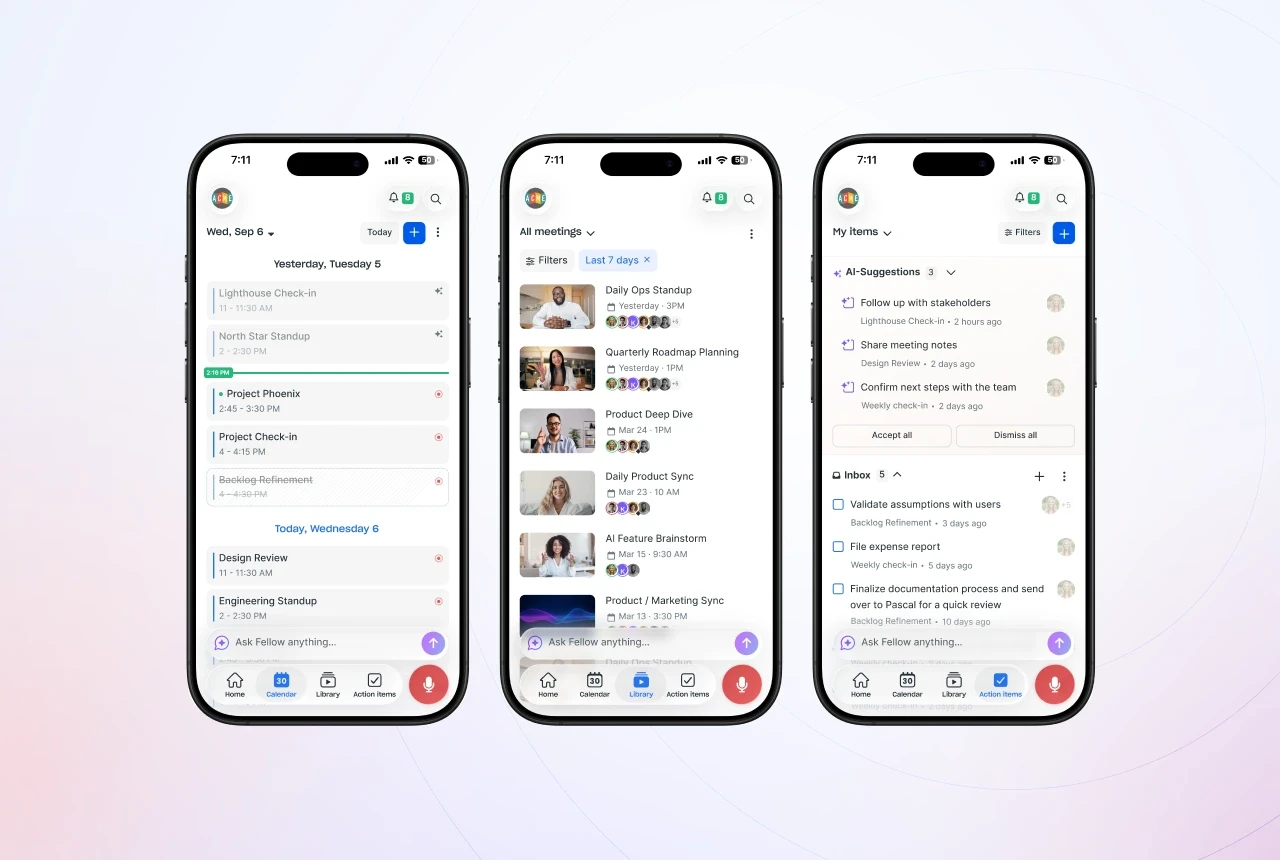
Fellow is an AI meeting assistant that records with a bot or without one, and both follow the same company rules. The Fellow desktop app on Mac and Windows records Zoom, Microsoft Teams, Google Meet, Slack huddles, WhatsApp, FaceTime or any other meeting app from your computer, with no bot in the call. The mobile app records in-person meetings from your phone. For scheduled calls where a visible notetaker is fine, the same workspace can send the Note Taker bot or use Zoom Native Capture instead. Teams choose the method for each meeting without needing a second tool, and every method gives the same transcript, AI summary, action items and decisions.
Privacy is built into how it works. Botless recordings go into your organization’s Fellow workspace, not onto one person’s laptop. That means the same retention, access and sharing rules apply to them as to any other recording. Admins can turn on zero-day retention, which deletes recordings and transcripts as soon as AI processing finishes and keeps the summary and action items. Fellow never trains AI models on customer audio, transcripts, notes or summaries, on any plan, and it is SOC 2 Type II, GDPR and HIPAA compliant. Anyone can pause a recording, and the paused part is removed from the transcript and notes. Each meeting has one shared record, so when any participant stops a botless recording, it stops for everyone. While a botless recording runs, Fellow notifies internal participants, and external guests see no bot.
Ideal for: Teams of any size that want botless recording governed by company policy, with the strongest fit in finance, legal, and enterprise.
Capture method: Desktop app on Mac and Windows with no bot. Note Taker bot for Zoom, Meet and Teams. Zoom Native Capture. In-person meetings through the mobile app. You choose per meeting.
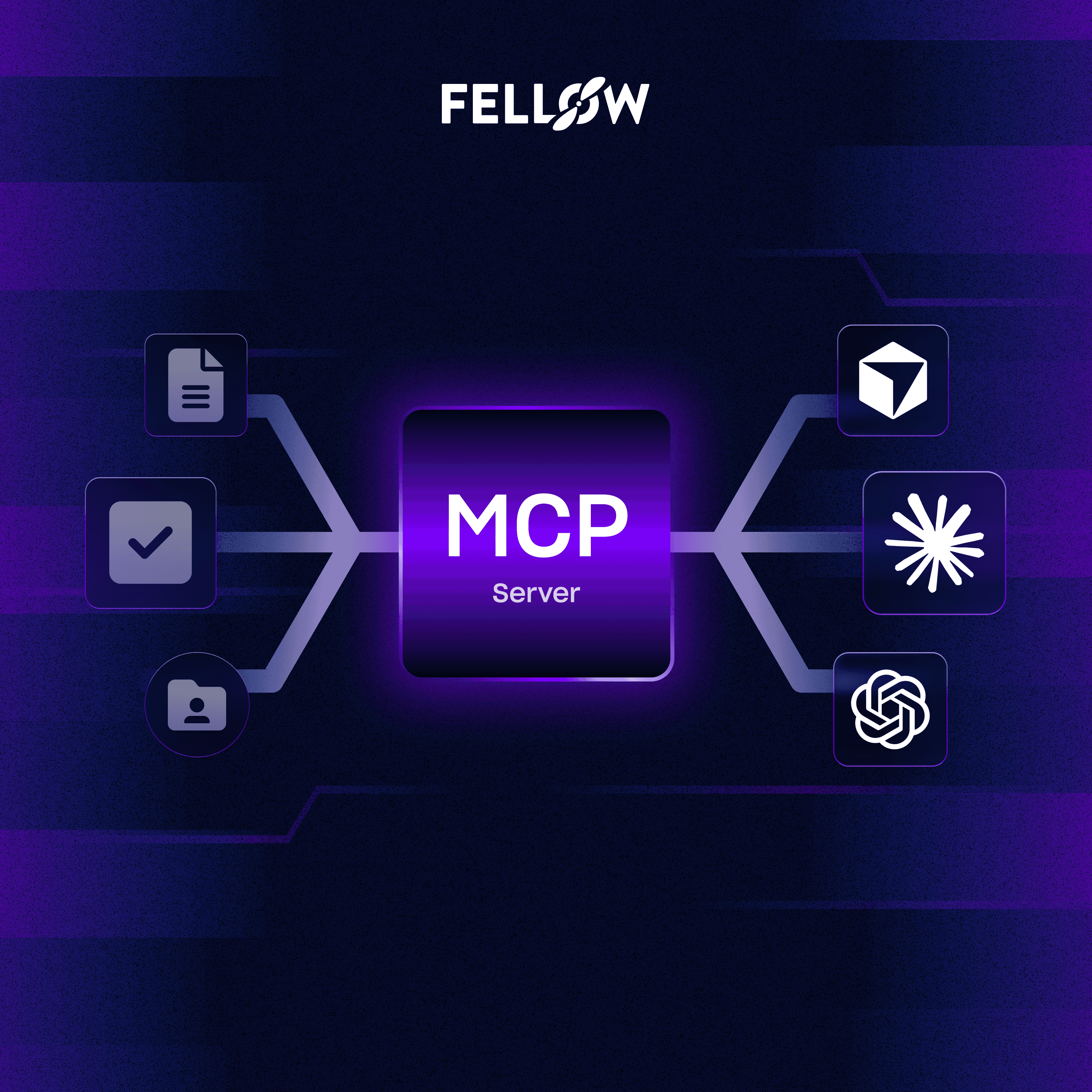
Key features: AI summaries, transcription in 100+ languages, AI action items, Ask Fellow for chatting with your meetings, a recording library, pause and resume, transcript redaction (Enterprise), API and MCP server, and Claude, ChatGPT and Copilot integrations.
Integrations: Broad. 50+ tools, including Slack, Salesforce and HubSpot (Business and up), Asana, Jira, Notion, Zapier, Glean and Global Relay.
Data use: Never used to train AI, on any plan. Zero-day retention available. Botless recordings follow workspace retention and access rules.
Pricing snapshot: From $7 per user per month billed annually, with 10 AI recordings per user per month. Unlimited recording from $15 per user per month on Business. Free plan with 5 AI recordings per user, lifetime.
Limitation: Botless needs the desktop or mobile app installed. Team caps recordings at 10 per user per month. Redaction, SSO, advanced recording permissions and HIPAA BAAs are Enterprise-only, with a 10-user minimum.
2. Krisp
Krisp evolved from noise cancellation to a bot‑free AI meeting assistant with on‑device capture. It records, transcribes, and summarizes without joining the meeting, reducing friction and privacy concerns. Krisp also improves call quality with noise cancellation and voice features. Messaging and reviews emphasize on‑device processing and privacy, with reported limitations like English‑only transcription in some modes. For teams prioritizing audio quality and local processing, it is a focused, bot-free option.
Ideal for: Individuals, small teams, audio‑first workflows
Capture method: On‑device; no meeting bot joins
Key features: Noise removal, transcription, summaries
Integrations: Light; fewer enterprise connectors
Pricing snapshot: Paid plans start at $8 per user per month
Limitation: Feature set narrower for enterprise workflows
3. Jamie
Jamie is a bot‑free AI notetaker that records from the user’s device and produces concise summaries and action points. It targets professionals who want discreet capture without adding a bot to the participant list. The workflow is lightweight: run the desktop app, capture audio locally, and generate notes. Compared to enterprise platforms, Jamie’s governance and admin controls are lighter, and integrations are more limited. It suits personal productivity needs with minimal setup and low meeting friction.
Ideal for: Personal productivity, startup teams
Capture method: Desktop app; no bot joins
Key features: Transcripts, summaries, action items
Integrations: Limited beyond core tools
Pricing snapshot: Paid plans start at €47 per user per month
Limitation: Lacks deep enterprise compliance tooling
4. Voibe
Best bot-free AI note taker for private meeting notes and AI dictation in one affordable plan.
Voibe bundles bot-free meeting notes and AI dictation in one plan, on Mac and Windows. Voibe Work captures Zoom, Microsoft Teams, Google Meet, Webex, Slack huddles or any other meeting app from your computer, with no bot in the call, and records in-person meetings through your computer’s microphone. After the meeting, the same app turns your voice into text in any app, so the follow-up email, the recap and the doc get written by voice too, without a second subscription.
Privacy is built into how it works. Meeting audio is processed by open-source models on zero-retention cloud providers and deleted as soon as processing completes. The finished transcript and summary are saved on your device, not on Voibe’s servers, and are never used to train AI. No OpenAI, Google, Anthropic or Microsoft model sits in the audio path. On Apple Silicon Macs, dictation can also run fully on-device, with no internet. When recording starts, Voibe reminds you to tell everyone you’re taking notes.
Ideal for: Professionals and small teams who want private meeting notes and dictation without paying for two tools.
Capture method: Desktop app on Mac and Windows; no bot joins. In-person meetings through your computer’s mic.
Key features: AI summaries with templates for each meeting type (or your own), speaker labels, chat with your meetings, meetings up to 4 hours, one-click copy and PDF export, Meeting MCP for Claude and ChatGPT, and AI dictation in any app with a custom dictionary, in 90+ languages.
Integrations: Light; copy and PDF export, Meeting MCP (Claude, ChatGPT, Cursor, Claude Code), and dictation into any app.
Data use: Never used to train AI; meeting audio deleted after processing; notes saved on your device.
Pricing snapshot: Meeting notes plus dictation from $12.42 per user per month billed annually, which is $149 a year, or $399 once. Free plan for dictation.
Limitation: No calendar or CRM integrations; meeting notes need an internet connection.
5. Tactiq
Tactiq captures live captions from meeting platforms via a browser extension and turns them into notes. It operates without a meeting bot, making it a bot‑free option for Google Meet, Zoom, and Teams sessions that expose captions. The upside is quick setup and low friction. The trade‑offs are limited enterprise governance, dependence on caption availability, and a narrower automation layer. It can serve as a simple, low‑overhead notetaker for browser‑based meetings.
Ideal for: Browser‑first teams, educators, freelancers
Capture method: Chrome extension capture; no bot joins
Key features: Transcript export, highlights, basic summaries
Integrations: Google Docs, Notion; limited CRM/PM depth
Pricing snapshot: Paid plans start at $8 per user per month
Limitation: Caption dependency; reduced compliance tooling
6. Bluedot
Bluedot positions as an AI note‑taker that doesn’t join your meetings. It records in the background across major platforms and generates transcripts and summaries without a visible participant. Their messaging focuses on privacy, discreteness, and sales workflows like CRM updates, follow‑ups, and analytics. Early user feedback highlights convenient automations and “invisible” capture, with fewer public reviews than some incumbents. Governance appears more team‑focused than purely personal apps but lighter than full enterprise suites.
Ideal for: Sales and customer‑facing teams
Capture method: Desktop capture; no meeting bot joins
Key features: Transcripts, notes, CRM updates, follow‑ups
Integrations: CRM and workspace tools focus
Pricing snapshot: Paid plans start at $14 per user per month
Limitation: Fewer user reviews available
7. Meetgeek
Meetgeek is known for bot‑based recording that joins calls to capture and summarize meetings. Some workflows can leverage manual uploads or alternate capture, but the core experience centers on a visible assistant for scheduled meetings. This supports robust speaker attribution and integrations, with team features for sharing and review. For buyers evaluating bot‑free tools, Meetgeek offers a contrast: higher visibility and structured context, with less discretion for ad‑hoc or sensitive conversations.
Ideal for: Teams comfortable with visible meeting assistants
Capture method: Primarily bot‑based join; hybrid workflows vary
Key features: Transcripts, summaries, topic analytics
Integrations: CRM/PM and collaboration tools
Pricing snapshot: Paid plans start at $15 per user per month
Limitation: Less suited to discreet capture needs
8. Hyprnote
Hyprnote is a botless notetaker that records locally and produces concise summaries. It aims for minimal setup and fast capture across platforms without joining as a participant. The design favors personal workflows over heavy integrations or enterprise controls. Teams can share outputs manually, but centralized governance features are limited. It’s an option for users who prioritize simplicity and control on their own device.
Ideal for: Individuals seeking minimal, fast capture
Capture method: Desktop recording; no bot joins
Key features: Transcripts, quick summaries, highlights
Integrations: Basic export; few native connectors
Governance: No advanced admin policy tooling
Pricing snapshot: Paid plans start at $8 per user per month
Limitation: Light collaboration and automation
9. Otter
Otter supports both direct device recording and an assistant that can join calls, making it a hybrid solution. It delivers real‑time transcripts, searchable notes, and sharing features that are well known in the category. Otter’s assistant adds a visible participant to meetings, which can impact discretion but improves labeling and integrations. For buyers seeking strictly botless capture under enterprise governance, Otter offers partial coverage and broad familiarity, with tradeoffs in visibility and policy consistency across modes.
Ideal for: Hybrid teams
Capture method: Hybrid; device recording + bot join
Key features: Live captions, transcripts, shared notes
Integrations: Popular productivity apps
Governance: Team features; enterprise controls vary by plan
Pricing snapshot: Paid plans start at $8.33 per user per month
Limitation: Visible bot affects discretion
10. Cluely
Cluely brands itself as “Invisible AI that thinks for you,” focusing on bot‑free capture and a live “AI sidekick” experience. It runs in the background, avoids appearing in participant lists, and provides real‑time answers during meetings alongside notes and summaries. The emphasis is stealth plus augmentation, with less public emphasis on enterprise compliance. It suits students and knowledge workers who want in‑flow assistance without adding a meeting bot, accepting tradeoffs in centralized governance.
Ideal for: Students, interviewees, and workers wanting in‑meeting Q&A
Capture method: Desktop capture; no visible participant
Key features: Live answers, notes, summaries
Integrations: Early‑stage; limited enterprise breadth
Pricing snapshot: Paid plans start at $20 per user per month
Limitation: Less compliance posture documentation
11. Granola
Granola positions itself as “the AI notepad for people in back to back meetings” and captures device audio to produce notes, action items, and templates. Users appreciate its UX clarity and speed, though speaker identification can be limited without participant data. Granola says it does not store raw audio, focusing on transcripts and notes, which can make it difficult to look back at slides or visual presentations. Recent news also claim that Granola enables AI training by default for non-enterprise users. The product prioritizes simplicity and personal productivity over enterprise governance depth, making it a fit for individuals and freelancers in back‑to‑back meetings.
Ideal for: Individuals and freelancers needing quick summaries
Capture method: Local device capture; no bots
Key features: Clean summaries, tasks, templates
Integrations: Light; export and docs‑focused
Pricing snapshot: Paid plans start at $14 per user per month
Limitations: Limited speaker attribution, Transcript‑first; no raw audio storage
Features and security policies to consider when adopting a bot-free meeting assistant
If you are evaluating bot-free meeting assistants, do not get distracted by the marketing spin about “invisible” or “frictionless” recording. Botless tools vary wildly in how they handle disclosure, governance, retention, and compliance. Most behave more like personal capture apps than enterprise software, which creates blind spots your IT team will hate. Before you adopt anything, dig into the controls that actually determine whether a botless option is safe for your organization.
Here are the non-negotiables any bot-free meeting assistant must have:
1. True governance, not device-level chaos
A lot of botless tools record from a single user’s device with zero organizational oversight. That is a governance failure, and it inches into spyware territory. A serious solution must apply organization-wide recording rules, retention settings, access permissions, and restrictions to botless captures, the same way it does for bot-based recordings. If policy enforcement disappears the moment you disable a bot, that is a red flag.
2. Internal transparency, without exposing external calls
Botless recording is not an excuse to hide activity from your coworkers. Internal participants should always know when a meeting is being captured. Most tools skip this entirely. At Fellow, we believe that the correct model is: internal disclosure for teammates, external discretion when appropriate. Anything else either violates trust internally or violates etiquette externally.
3. Consistent retention and compliance
Some vendors brag about “no bots,” but what they really mean is “no policies.” You want a bot-free option that still honors your organization’s retention rules, access controls, and compliance requirements. A proper system ensures bot and botless recordings follow the exact same governance standards and security frameworks, so nothing falls through the cracks.
4. Cross-platform capture that covers the real world
Botless recording should not be limited to one meeting platform. It needs to reliably capture:
Zoom, Google Meet, and Microsoft Teams
Slack huddles
Ad hoc calls
In-person conversations
Otherwise, you are just trading one set of gaps for another. A viable enterprise option must support all the messy realities of modern meetings.
5. Flexible choice between bot and botless without losing oversight
You should never be forced to choose between transparency and flexibility. A mature solution such as Fellow lets teams switch between bot and botless depending on the meeting type, while maintaining the same enterprise-grade security and admin visibility across both modes. Anything less invites misuse, inconsistency, and compliance issues.
If a bot-free assistant cannot meet these standards, it is not enterprise-ready. It is a personal recording tool masquerading as workplace software.
Conclusion and tool comparison
The landscape of bot‑free AI notetakers in 2026 offers a spectrum from enterprise‑grade platforms with full governance (Fellow) to ultra‑lightweight personal tools (Granola, Hyprnote). Choosing the right solution hinges on three factors: privacy & processing model, governance & compliance needs, and integration depth.
Tool | Bot-free mode | Governance scope | Integrations breadth | Notable strengths | Potential limitations |
|---|---|---|---|---|---|
Fellow | Yes (option to record botless or with bot) | Enterprise-grade | Broad (50+) | Security features and granular recording policies | Requires desktop app for botless |
Krisp | Yes | User-level | Light | On-device, audio quality | English-only in some modes |
Jamie | Yes | User-level | Limited | Simple, discreet | Fewer admin tools |
Voibe | Yes | User-level (team admin on Enterprise) | Light | Notes saved on your device. | No calendar or CRM sync |
Tactiq | Yes | User-level | Moderate | Browser-native | Caption-dependent |
Bluedot | Yes | Team-focused | CRM-centric | Discreet sales workflows | Fewer public reviews |
Granola | Yes | User-level | Light | Polished summaries | Limited speaker IDs |
Meetgeek | Partial or hybrid | Team or enterprise | Broad | Bot analytics | Less discreet |
Hyprnote | Yes | User-level | Light | Minimal setup | Sparse integrations |
Otter | Hybrid | Team or enterprise | Broad | Popular, live notes | Visible assistant |
Cluely | Yes | User-level | Early-stage | Live answers | Less compliance detail |
Frequently asked questions
What is the best AI meeting note taker without a bot?
The best AI meeting note taker without a bot for most teams in 2026 is Fellow. It's the only option that combines enterprise-grade governance with genuine botless flexibility: recordings happen directly from the desktop app without a visible participant, while the same admin-enforced security policies, retention schedules, and access controls apply as they would to any other meeting artifact. For individual users with no governance requirements, Krisp and Jamie are solid lightweight alternatives.
What does "AI meeting note taker without a bot" mean?
An AI meeting note taker without a bot captures meeting audio directly from your device rather than joining the call as a visible participant. There's no extra name in the participant list and no bot to admit from a waiting room. Capture happens at the device audio layer, which means it works across virtually any meeting platform, including Zoom, Teams, Google Meet, Slack huddles, phone calls, and in-person conversations.
Are AI note takers without a bot secure for enterprise use?
It depends entirely on the tool. Most botless note takers are personal productivity apps with no admin controls, centralized retention settings, or compliance certifications. Enterprise-ready options like Fellow are SOC 2 Type II certified, HIPAA and GDPR compliant, support zero-day retention, and never train on customer data. Evaluate any botless tool on those criteria before deploying it across a team.
When should I use a bot-free AI note taker instead of a bot-based one?
Botless recording is the right choice for ad hoc calls and quick syncs where a bot joining would feel excessive, external client meetings where a visible participant would be intrusive, in-person and hybrid conversations that a bot can't join, and Slack huddles. For larger scheduled meetings with multiple speakers, screen sharing, or video playback needs, a bot-based mode often provides better structure and speaker attribution. The best approach is a platform like Fellow that lets you choose per meeting type without switching tools.
Can AI note takers without a bot record in-person meetings?
Yes, most botless AI note takers can record in-person conversations because they capture audio directly from your device's microphone rather than through a video call platform. Fellow supports in-person and hybrid capture with speaker diarization, so you get labeled transcripts even when there's no video call to anchor the recording.
Do AI note takers without a bot still generate summaries and action items?
Yes. The absence of a bot doesn't limit what the AI can produce from the audio. Fellow's botless recordings generate the same full AI summaries, action items, decisions, and searchable transcripts as bot-based recordings. Action items sync automatically to connected tools like Salesforce, HubSpot, Asana, and Jira.
Conclusion
The right AI meeting note taker without a bot isn't the one that's most invisible. It's the one that gives your team the capture flexibility you need without creating the governance gaps your IT and legal teams will eventually have to clean up.
For teams that need governance, compliance, and an enterprise security framework that applies equally to botless and bot-based recordings, Fellow is the clear choice in 2026.
Stop letting sensitive conversations go undocumented or ungoverned. Try Fellow free →
Frequently asked questions
Record, transcribe and summarize every meeting with the only AI meeting assistant built with privacy and security in mind.