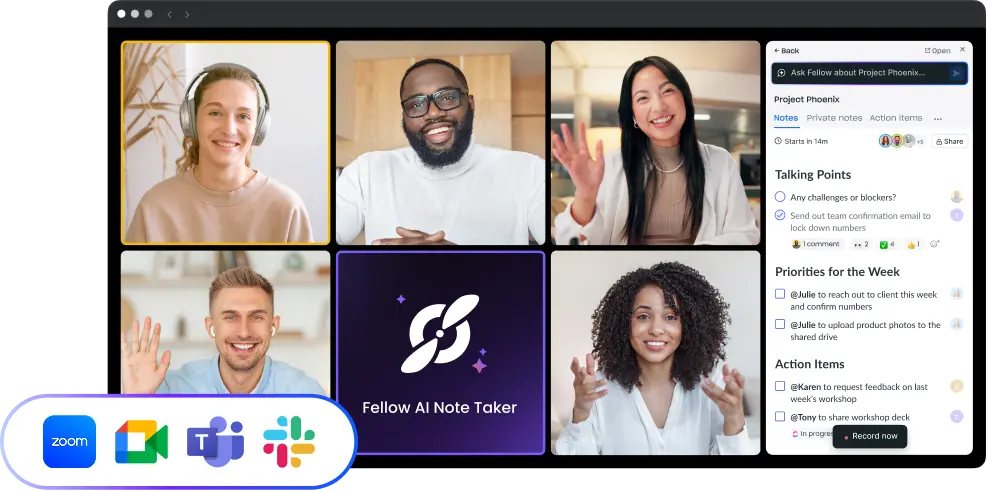
Microsoft Teams AI Note Taker
Fellow records, transcribes, and summarizes your Microsoft Teams meetings securely: bot and bot-free recording, automatic transcripts, smart summaries, action item assignment, password-protected recaps, and enterprise compliance (SOC 2, HIPAA, GDPR).
Fellow AI note taker for Microsoft Teams
Fellow records, transcribes, and summarizes every Teams meeting automatically, then turns the conversation into assigned action items, searchable notes, and follow-up drafts before your next meeting starts.
Whether your team is fully on Teams or split across platforms, everyone gets the same meeting experience: accurate transcripts, AI-generated summaries, and action items with owners and deadlines synced to the tools your team already uses.
How Fellow works in Microsoft Teams
Before the meeting
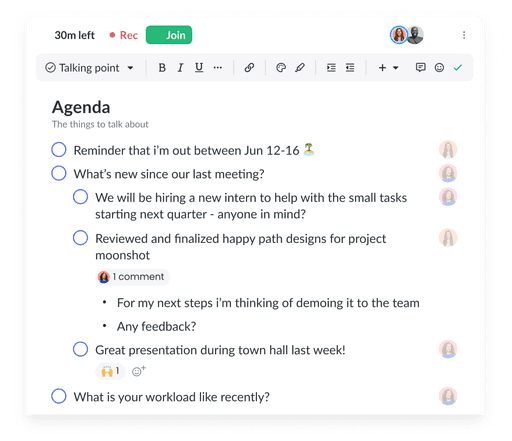
Fellow attaches collaborative agendas directly to calendar invites so every attendee comes prepared. No last-minute scramble for context. The agenda, previous notes, and relevant decisions are surfaced automatically before the call starts.
During the meeting
Fellow records and transcribes in real time with or without adding a bot to your participant list. Speaker identification separates who said what. Nothing is missed, and nobody needs to split their attention between listening and note-taking.
After the meeting
Fellow generates a structured AI summary: bullet-pointed decisions, action items with assigned owners and due dates, and a full searchable transcript, and delivers it within minutes of the meeting ending. With Ask Fellow, anyone on the team can query past meetings in plain language: "What did we decide about the Q3 budget?" or "What's Sarah responsible for from last Tuesday's call?"
Enterprise security and compliance
Fellow is built for regulated industries (hedge funds, private equity, investment banks) and enterprise organizations where data governance is not optional.
SOC 2 Type II certified
HIPAA compliant: suitable for healthcare organizations and adjacent industries
GDPR ready: data residency and processing controls for EU organizations
Fellow never trains on your data: your meeting content stays yours
Admin controls: workspace-level policies, user provisioning, and integration permissions managed centrally
Password-protected recaps: Lock meeting recaps with a strong, secure password, so sensitive client calls, deal terms, and external conversations get the visibility they need without sacrificing security
Capture consent for auto-recorded meetings in Microsoft Teams: Fellow's consent capture gives attendees a chance to review and respond to recording notice before a meeting starts

Works where your teams work
Keep your meeting workflow synced with 50+ Fellow integrations